






27.10.2026, 23:32
⚠ The game is in beta; this information may change.
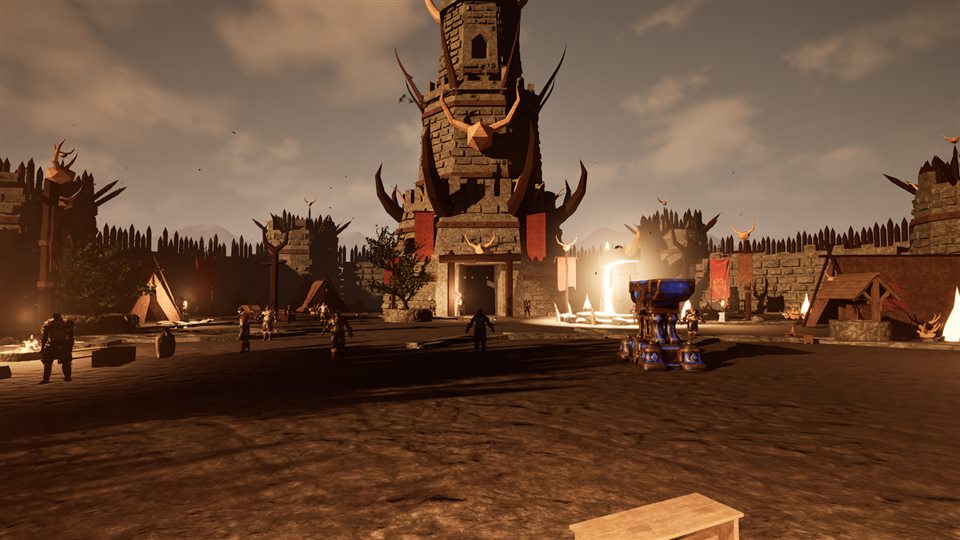
Screenshots from the development build.
Arkhon Online's engine and technology
We balance image quality and smoothness: stunning on high settings, still playable on low settings with older cards such as a GTX 1050 Ti (4 GB).
⚙️ Engine and foundation
- 🎮 Unreal Engine 5.8 — The game's engine: graphics, physics, sound, animation and networking, in the current version used by big studios.
- 💻 C++ — The game code is written in C++ for fast, lean systems.
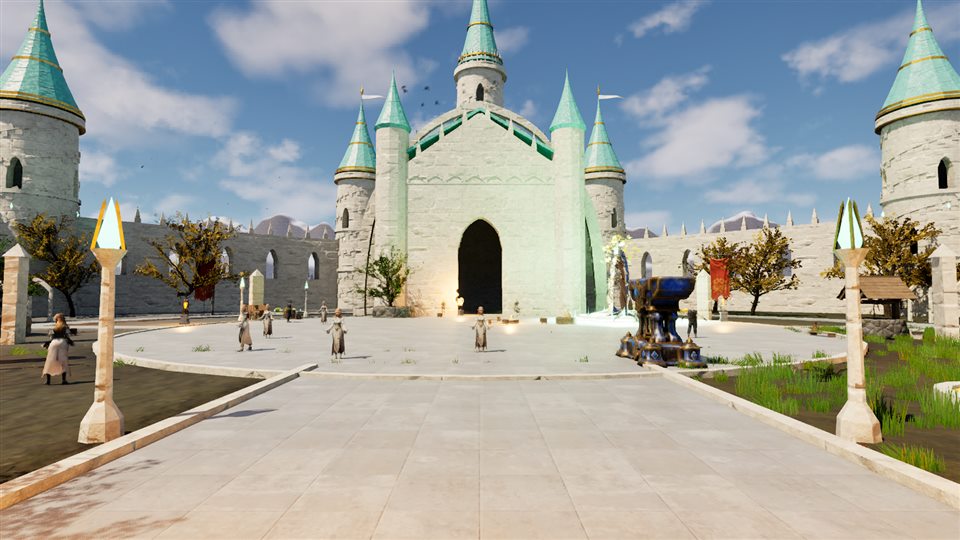
🎨 Graphics
- 🏰 Nanite — Castles, rocks and big structures in very high detail; the engine reduces detail automatically with distance.
- ☀️ Lumen — Real-time global illumination: sunlight bounces off surfaces and shadows look natural instead of pitch black. Medium settings use the lighter "Lumen Lite".
- 🌗 Virtual Shadow Maps — Sharp, detailed shadows; switched off on low settings for performance.
- 🔥 MegaLights — Many lights such as torches, fires and spells at once without a performance drop (high settings).
- ✨ Niagara and particle effects — Spells, element glows, fire, sparks and battle effects.
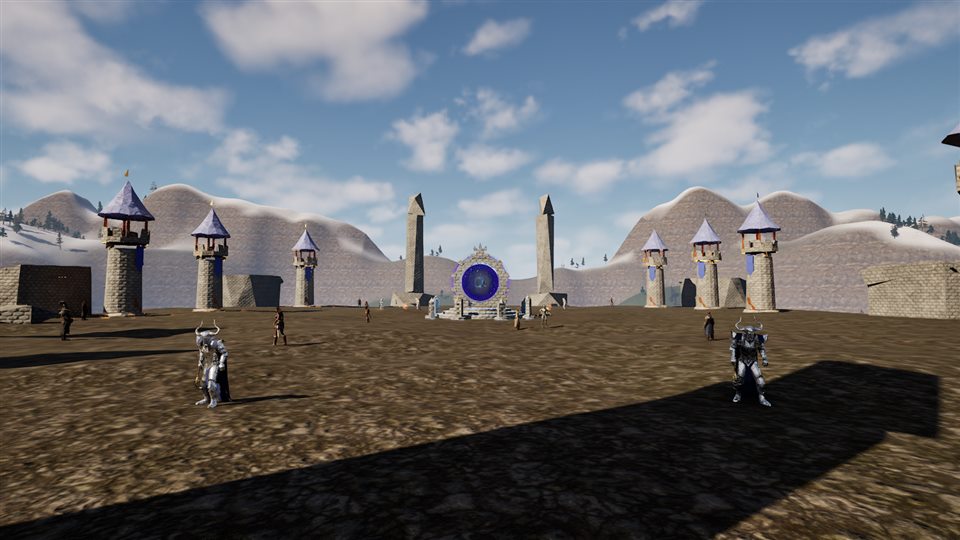
- 🌲 Landscape and Foliage — 2 km maps with hills and rivers, thousands of trees and plants, with seasonal vegetation on the race maps.
- 🌫️ Post Process and Local Fog — Colour grading, fog and atmosphere per season region.
🖥️ Upscaling and latency
Chosen in the game under Settings > Upscaling.
- 🟩 NVIDIA DLSS 4.5 — AI renders at a lower resolution and upscales sharply for a large FPS gain. RTX cards start on DLSS Quality; DLAA is there for the sharpest image.
- 🎞️ DLSS Frame Generation — Generates in-between frames on RTX 40 and 50 series cards for much smoother motion.
- ⚡ NVIDIA Reflex — Cuts the delay between your mouse and keyboard and the screen; on by default on RTX cards.
- 🟥 AMD FSR 4.1 — Upscaling for AMD and other cards.
- 🟦 Intel XeSS 3.2 — AI-assisted upscaling for Intel Arc and other cards.
- 🔆 NVIDIA NIS — Light upscaling with sharpening for older cards.
- 🔍 TSR — Unreal Engine's own upscaler; works on every card.
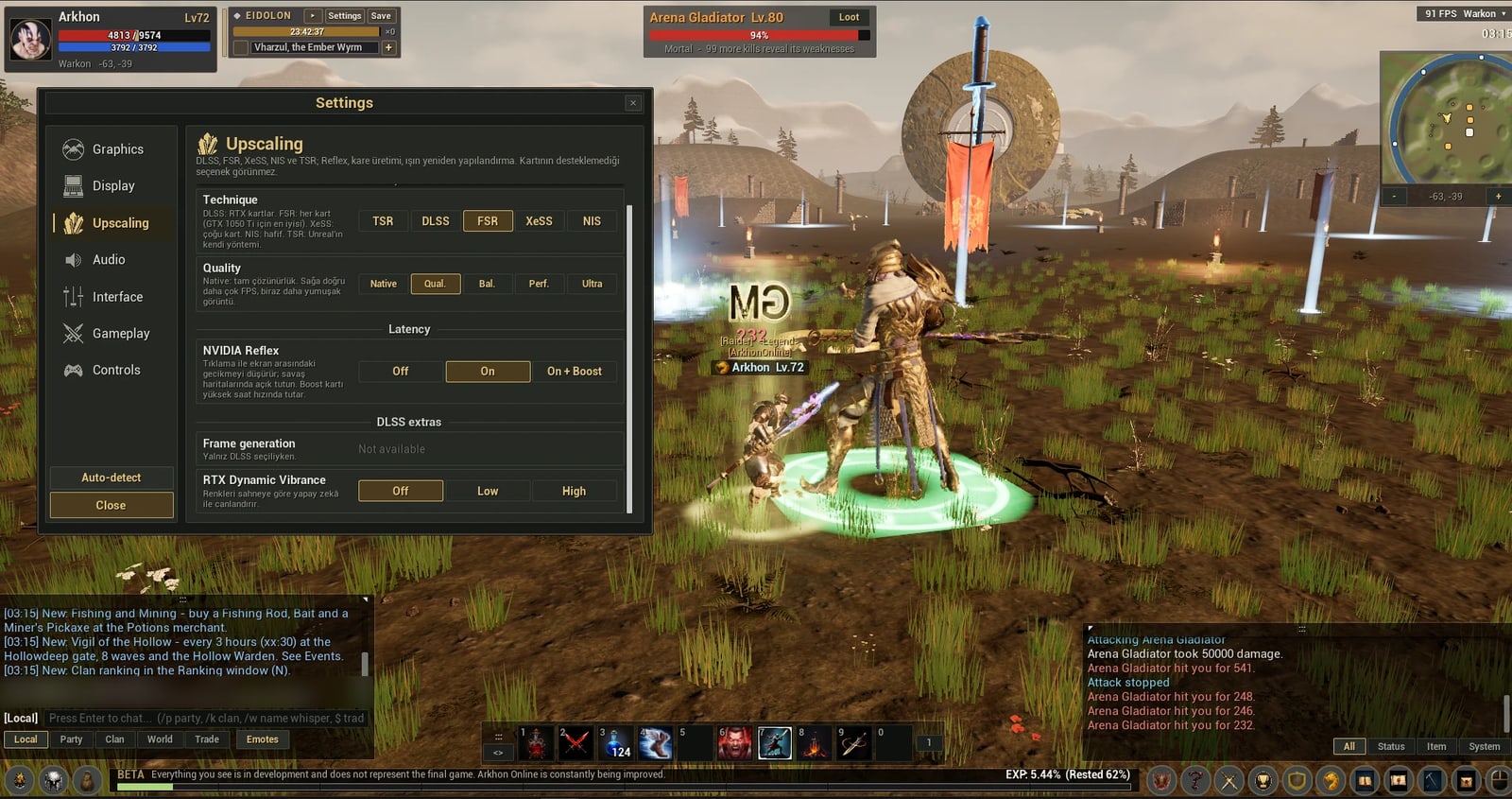
Upscaling settings: TSR, DLSS, FSR, XeSS and NIS; NVIDIA Reflex and DLSS frame generation
🏃 Characters and animation
- 🎞️ Motion Matching — Movement is picked live from real motion recordings: natural turns, stops and acceleration.
- 🦴 IK Retargeting — Animations fit each race's own body proportions.
- 🧍 Class idles — Each class has its own idle stance.
🚀 Performance and crowds
- 👥 Crowd optimisation — Characters off screen or far away update their animation less often (Update Rate Optimization) and nameplates hide with distance, for smooth battles with hundreds of players.
- 💤 Sleeping monster areas — Monster areas without players nearby rest, keeping the server light even with hundreds of monsters.
- 🎚️ Scalable settings — Presets from low to high, render scale and dynamic resolution.
- 🧱 Texture streaming — Textures load as needed, using video memory efficiently.
- 📷 Camera clearing — Poles, trees and other objects between the camera and your character are hidden, so your character stays visible.
⚙️ Settings menu
- 🗂️ Tabs — Graphics, Display, Upscaling, Audio, Interface, Gameplay and Controls.
- 🖵 Display — Every monitor resolution; windowed, borderless and fullscreen, with a 10-second keep-or-revert.
- 🎛️ Graphics — Quality presets from low to high, shadows on/off, brightness and an FPS counter.
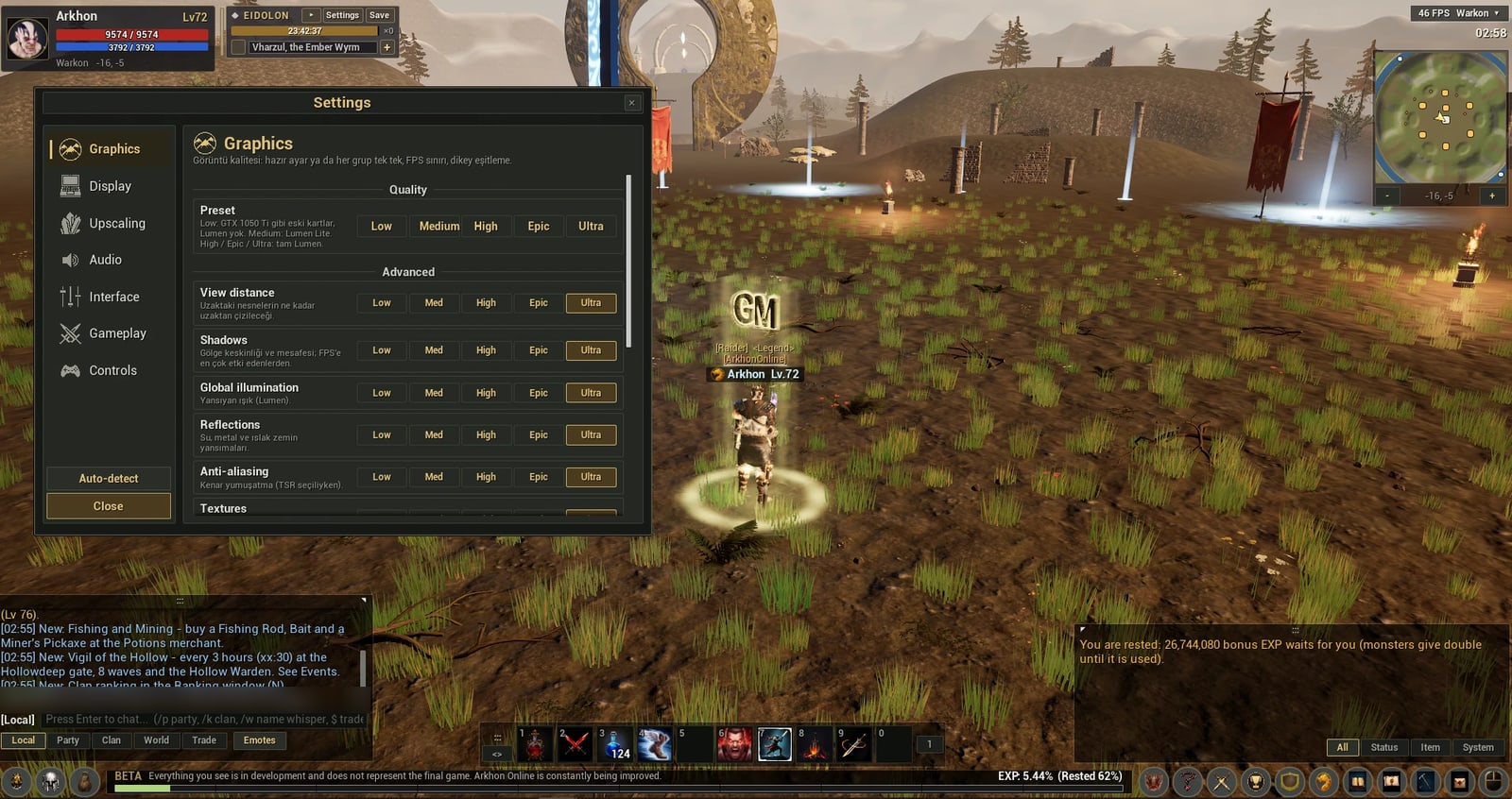
Graphics settings: presets from Low for a GTX 1050 Ti up to Ultra with full Lumen
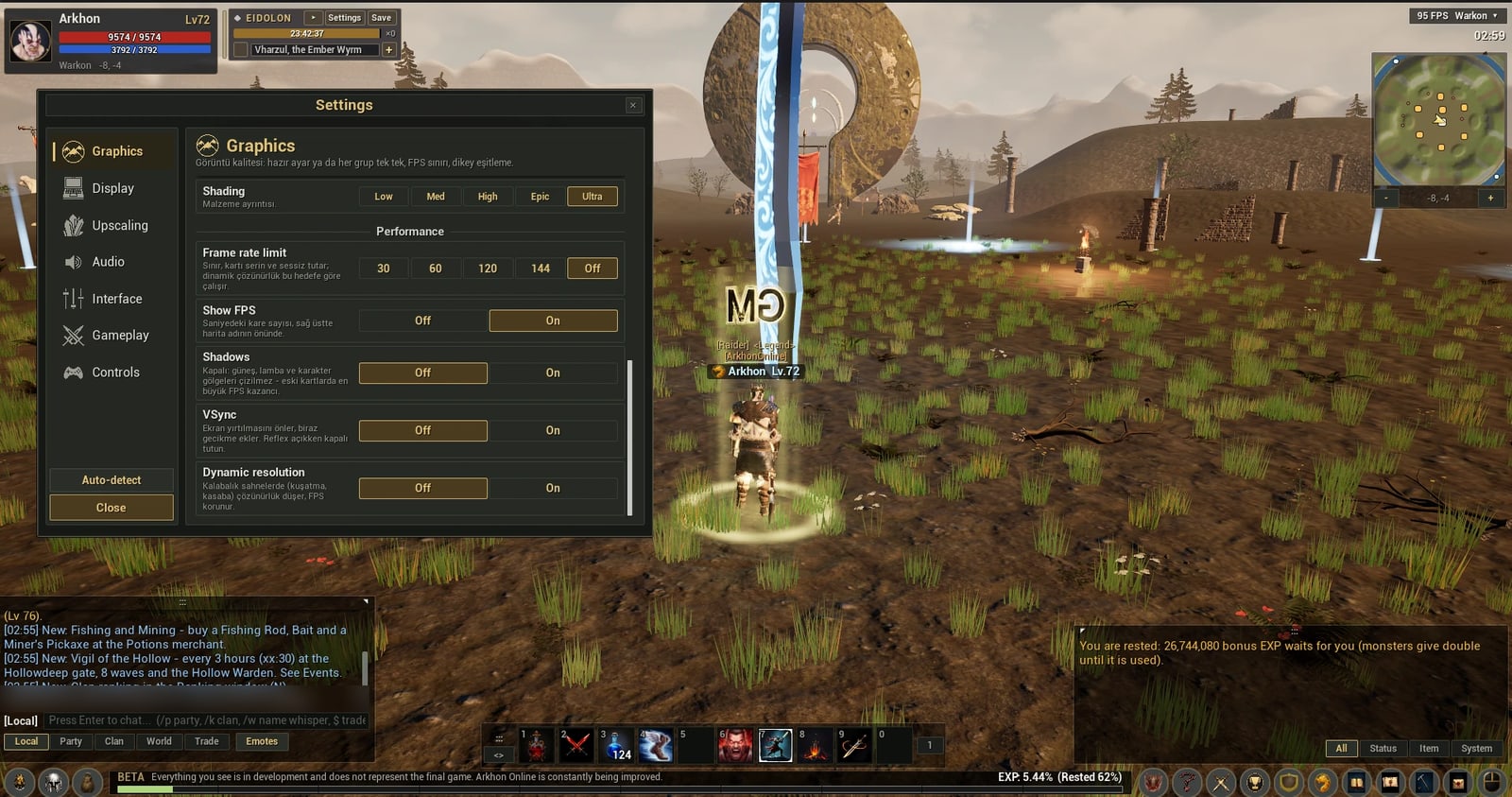
Performance settings: FPS limit, shadows, VSync and dynamic resolution
🛡️ Networking and security
- 🖧 Server-authoritative — Damage, items, gold and points are calculated on the server, not on the player's PC, which makes cheating harder.
- 👁️ Line of sight — Attacks and skills need line of sight; you cannot hit a player behind a wall.
🌐 Website and forum
- 🔑 One account — The account you create on the site signs you in to the forum and, later, the game.
- 🔒 Security — Passwords are stored with Argon2id, connections use SSL and the servers are in Turkey.